24/7 AI SRE · one agent · no stack required
It breaks at 3 AM.
You find out at 3:01 — with the root cause already written.
Flux watches your servers and websites around the clock, detects incidents from your logs, opens a ticket with an AI-written root cause analysis, and can run your deployments for you. Install one lightweight agent. No observability stack required.
$ curl -fsSL https://flux.goclouded.in/install.sh | sudo env … bashOne command per server, with a one-time token from Add server — or let Flux install it for you over AWS SSM.The product
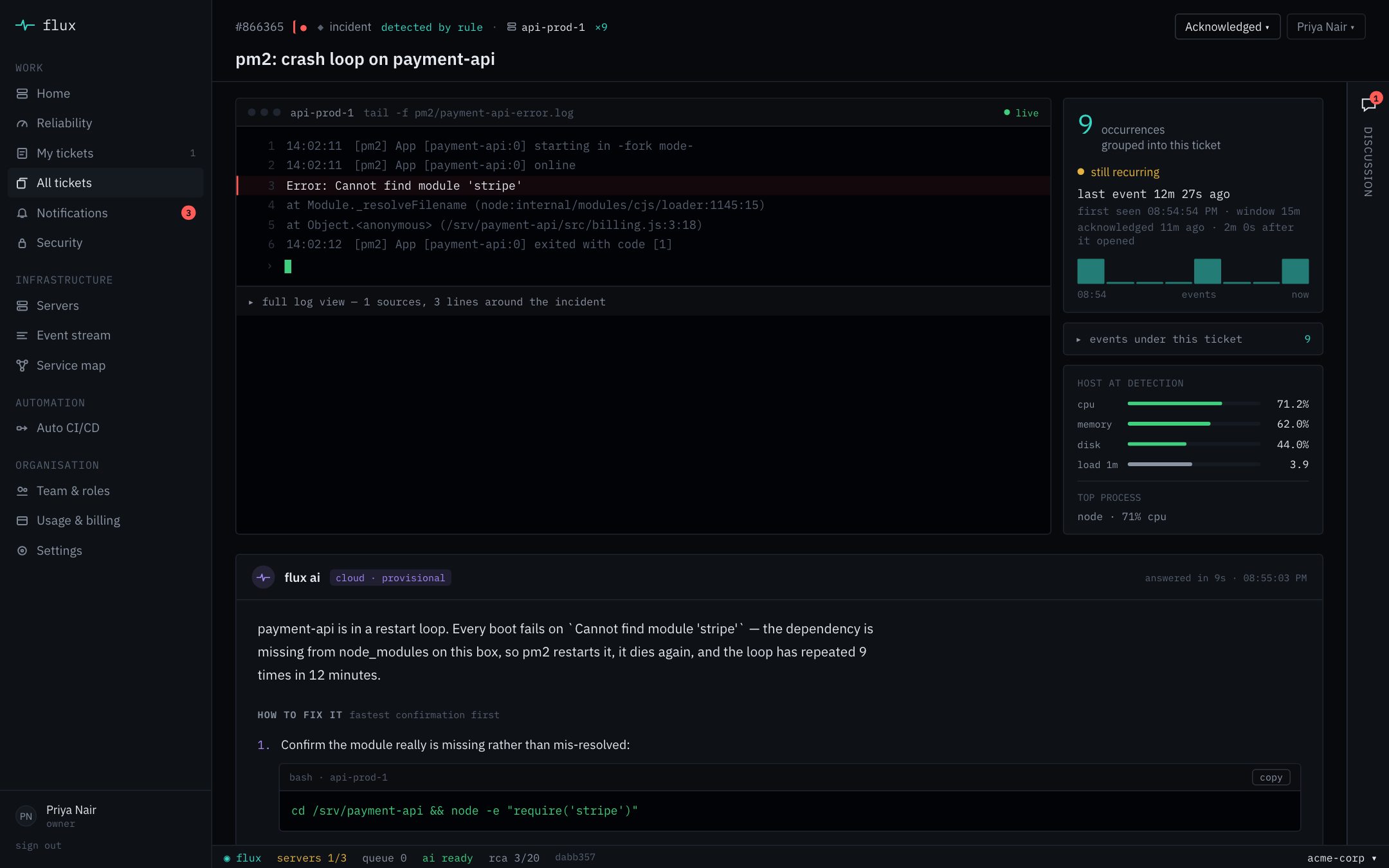
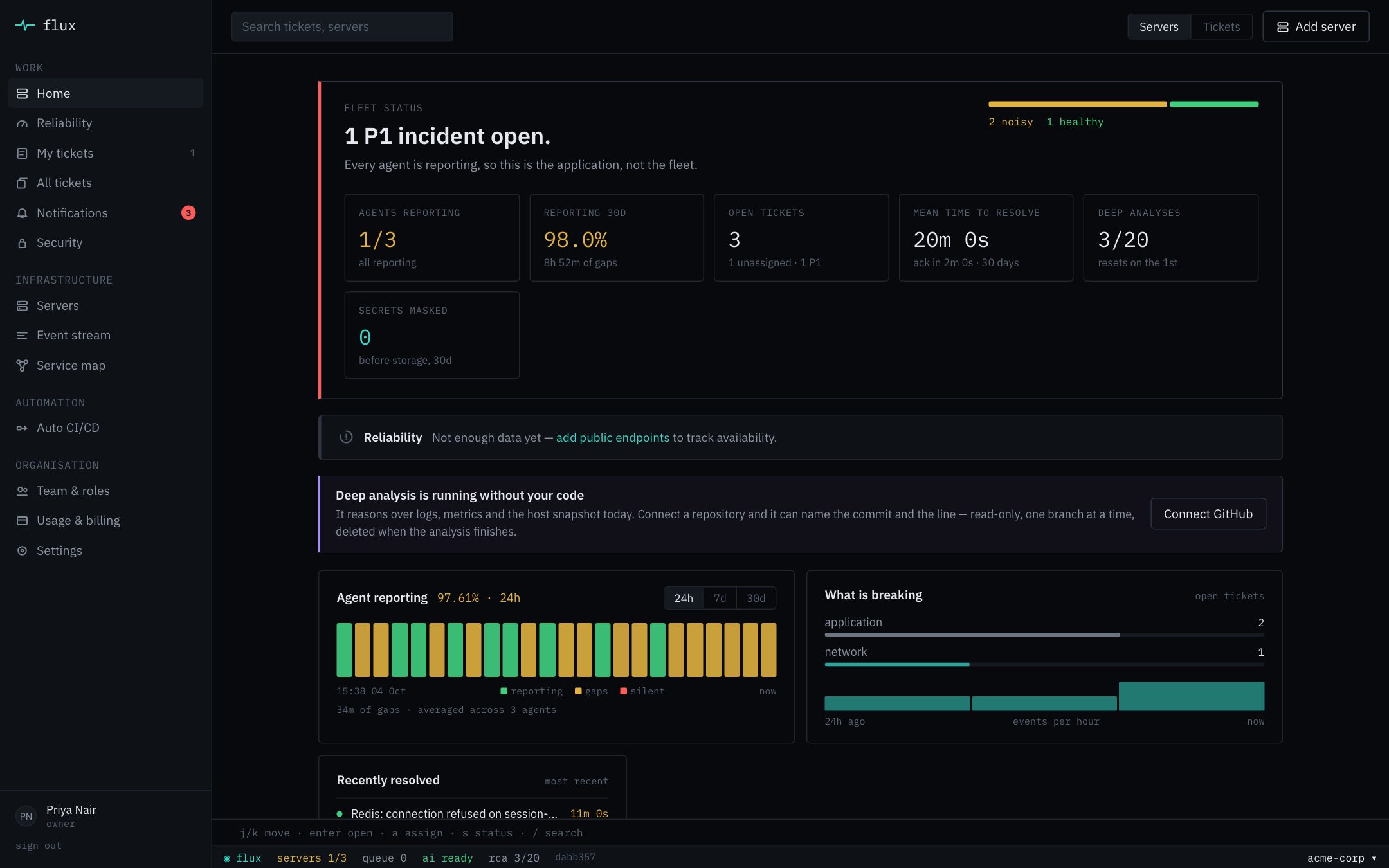
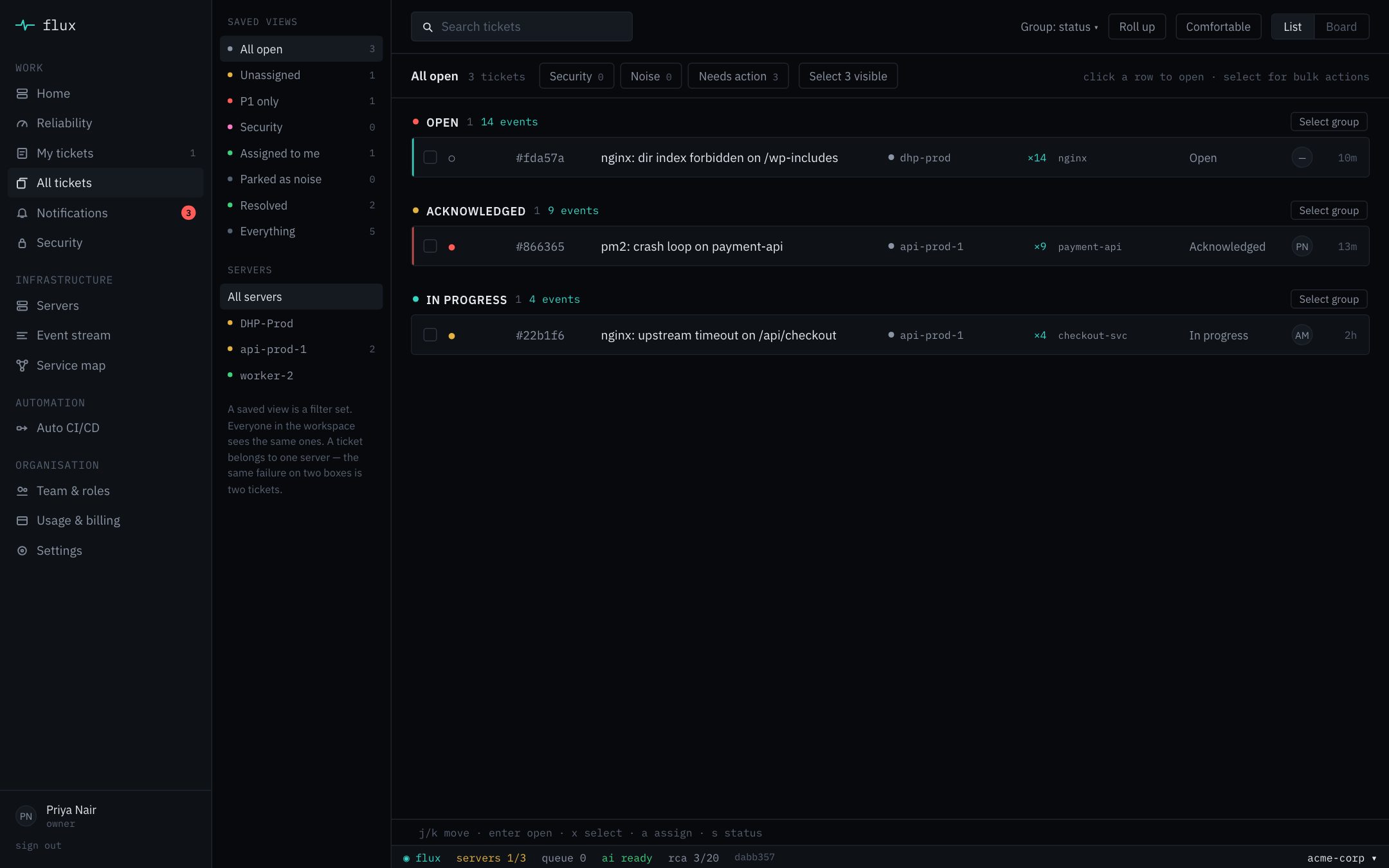
One screen per incident. The cause is already on it.
This is Flux as your team sees it — the real app, on a demo workspace.
Is it for you
Answer honestly. Nobody’s watching — which is rather the point.
Most teams we talk to have never bought monitoring before. They have a product in production and a growing suspicion that nobody is looking at it.
You’re a founder, and nobody on the team has uptime as their actual job.
Your product could be down right now and you’d only know when a user tells you.
You have backend engineers — shipping features, not tailing logs at midnight.
There’s real SRE work to do, and no budget for an SRE salary yet.
You deploy by SSH-ing in and running a script — and roll back the same way.
A night on watch · checkout-svc
An example night, compressed. The only part you’d have been awake for is the email.
- 22:40Deploy
You ship
v2.4.1through Flux’s Auto CI/CD, double the workers for tomorrow’s sale, and go to bed. - 00:58Watching
The agent tails nginx, PM2 and Redis logs and matches them against known failure patterns. No model on your box, a few MB of memory.
- 01:12Incident
/api/checkoutstarts timing out. The agent flags it, masks any secrets in the log lines, and sends them with a snapshot of the server’s CPU, memory and disk. - 01:12Ticket
One ticket opens on
api-prod-1. The next 36 timeouts fold into it as a count, not 36 alerts. - 01:13Root cause
“Redis hit
maxclients. The 22:40 deploy doubled the workers; the connection pool wasn’t sized for it.” With the log lines that show it, and the fix. - 01:13Notify
One email to the on-call, one message in Slack. P1 only, if that’s how you’ve set it.
- 01:19Resolve
You roll back to
v2.4.0from your phone. Timeouts stop. Six minutes down, not seven hours. - 07:02Morning
You wake up to a resolved ticket with its whole timeline. Nobody tweeted that checkout was broken.
How it works
Four stages, in order, every time.
The fast, cheap part runs on your server. The slow reasoning runs only when there is something worth reasoning about.
Install
One command per server, or let Flux install it over AWS SSM. The agent finds nginx, PM2, Python apps, Postgres, Redis and systemd services by itself and shows you what it found.
Detect
Logs are matched against failure patterns on the box. Nothing is sent until something matches — and then only the lines around the error, with secrets masked.
Explain
Repeats fold into one ticket, and Flux AI writes the root cause: what broke, the evidence, and the fix. Connect a repository and it can name the commit and the line.
Resolve
One notification per incident, not a pager storm. Fix it, assign it, or roll back the deploy that caused it — and close the ticket with its timeline intact.
What you get
Everything an SRE would set up in their first month.
You hear it first, not from a customer
Email, Slack, Microsoft Teams, Google Chat or your own webhook — when something breaks and when it recovers. You choose the priority that’s worth waking up for.
A cause with its evidence attached
Not “errors detected in checkout-svc.” The cause, the log lines that show it, the server’s state at the time, and the commands to confirm and fix it.
Push to deploy, with a way back
Deploy from GitHub to your EC2 servers, gated on a health check. A release that fails the check rolls back to the previous one on its own.
Uptime, SLOs and error budgets
Flux checks your public endpoints from outside and tracks each server against the objectives you set, so you know how much room is left before users notice.
No stack required
Everything you were told you needed first.
Most monitoring tools assume you already have a monitoring setup. If you had six weeks to build one, you wouldn’t need them.
Open beta
Sleep through the next one.
Install the agent this evening. The next time something breaks at 3 AM, you get one message, one cause and one fix — and that’s the whole story.